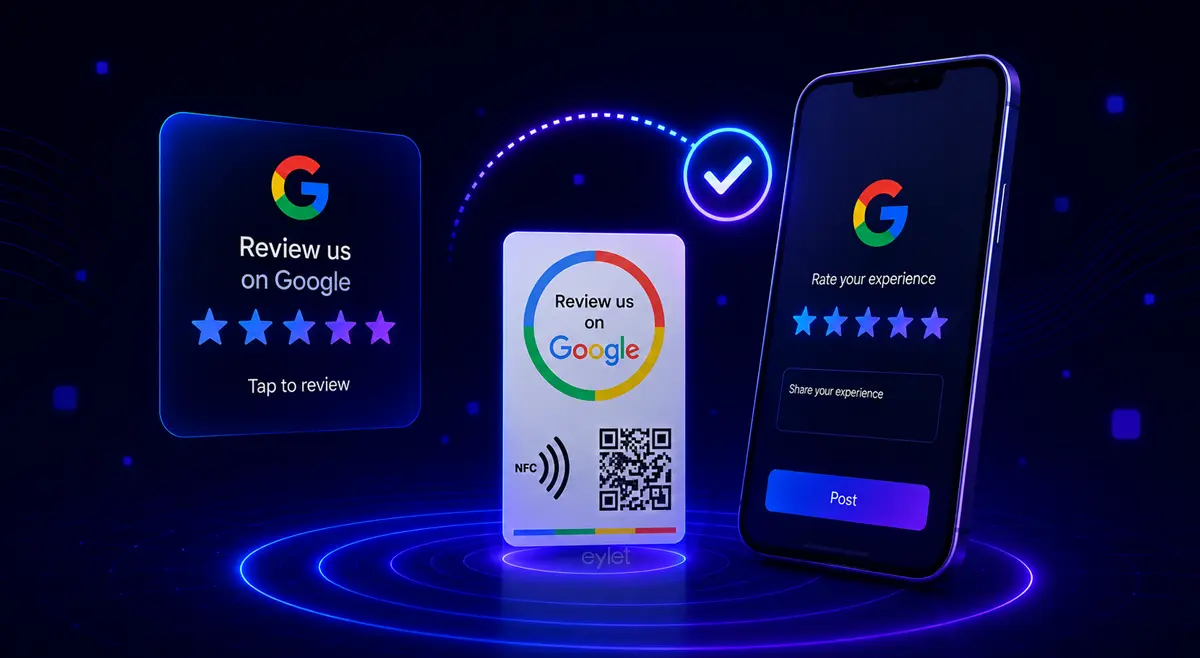
Google Review NFC Cards: How to Get More Reviews with One Tap
If you've ever watched a happy customer say “I'll leave you a review!” and then never see it show up on your Google Business Profile, you already know the problem. The intent is there — the follow-through isn't. A Google review NFC card closes that gap by turning “I'll do it later” into “I just did it,” in the time it takes someone to tap their phone.
Quick answer: A Google review NFC card is a small physical card embedded with an NFC chip. When a customer taps it with their smartphone, it opens their browser directly on your Google review page — no app, no searching, no typing. They just leave the review.
What Is a Google Review NFC Card?
An NFC google review card is a credit-card-sized tag built around a near-field communication chip. The chip is programmed with one job: when an NFC-enabled phone is held near it, it triggers the phone's browser to open your business's Google review page. Most cards also carry a printed QR code on the back as a fallback for older devices or anyone who'd rather scan than tap.
There's no app required on the customer's end, no Bluetooth pairing, and no internet connection needed on the card itself — it's a passive chip that only activates when a phone gets close enough to read it.
How It Works — Tap, No App, No Subscription
The mechanics are simple, but the order of operations is what makes it effective:
1. A customer finishes their meal, service, or purchase and you (or a staff member) hand them the card, or it's sitting at the counter.
2. They tap their phone to the card — near the top back of the device, where the NFC antenna sits.
3. Their phone's browser opens directly on your Google review page — already on the star rating screen.
4. They tap a star rating and, optionally, add a few words. Done — usually in under 15 seconds.
Want the full walkthrough “how to activate eylet Google review card” with screenshots? Follow the Setup Guide →
Once the card is set up, it doesn't need an app to keep working. The link is baked into the chip itself, so collecting reviews afterward is just tap, tap, done — for as long as the card lasts.
Why Google Reviews Matter for Local SEO
Reviews aren't just social proof for customers — they're a direct ranking input for Google's local search algorithm. Businesses with more reviews, higher ratings, and recent activity tend to surface higher in the Map Pack and local results.
Recency matters more than total count. Industry research from AskNicely found that 73% of consumers only trust reviews written in the last 30 days, and 83% say recency is a prerequisite for trusting a business at all. A profile with steady, current reviews reads as active and trustworthy, while one with a pile of old reviews and nothing new in months can quietly slip down the rankings even if the rating itself is high.
That's the real value of an NFC card over a one-off review request: it lowers the friction enough that asking becomes a habit, not an occasional push, which is what actually keeps reviews recent and moves the needle on local ranking over time.
Is It Allowed? Google's Policy on Review Solicitation
Asking customers for a review is allowed and encouraged by Google. What's against the rules is manipulating the outcome — offering a discount, gift, or incentive in exchange for a review, asking only customers you expect to leave 5 stars, or writing/posting reviews on someone else's behalf.
A Google review NFC card sits comfortably on the right side of that line, as long as you use it the way it's intended: as a neutral, low-friction way to ask every customer, not just the happy ones. Hand it out (or place it at the counter) consistently, let people leave whatever rating reflects their honest experience, and you're well within policy.
Google Review NFC Card vs QR Code vs Asking Manually
NFC tap card: Lowest friction — one tap, already on the review screen.
QR code: Low-medium friction — needs camera app, focus, and a tap to open the link.
Asking manually / texting a link: Highest friction — customer has to find the message later and search for the link.
QR codes still work fine as a backup — most NFC cards print one on the back — but NFC removes the one extra step (opening the camera, lining up the code, waiting for it to focus) that QR-only methods still require.
How to Set Up Your Google Review NFC Card
1. Log into the eylet app and create a free account — no subscription required.
2. Search for your business by name — eylet pulls your Google Business listing automatically via Google Places.
3. Confirm your listing, then scan or tap your card once to link it to your profile.
4. Test it on your own phone, then place the card at the counter or hand it to your team. No app is needed by customers at any point.
The whole setup typically takes under a minute, and you can add multiple cards to a single account if you're running more than one location or team.
Best Practices for Getting More Reviews with the Card
• Ask at the moment satisfaction is highest — right after a good meal, a finished service, or a compliment, not days later
• Make the ask personal, not generic — a specific “we'd love a quick review” from a real team member outperforms a printed sign alone
• Train staff on when and how to bring out the card, so it feels natural rather than scripted
• Respond to reviews you receive — replies signal to future reviewers that their feedback is actually read
• Don't filter who you ask — consistency builds a healthier, more credible rating over time
• Never offer a discount or incentive tied to leaving a review — it puts your listing at risk and breaks Google's policy
Eylet's Google Review NFC Card
eylet Google Review Card
Collect Google reviews instantly with one tap.
• One-tap flow — no apps, no scanning, no searching for customers
• Works on iPhone and Android, no app required on the customer's side
• Live tap and scan statistics in the eylet app, with no subscription fees
• Built for retail, restaurants, salons, clinics, and service businesses
• Durable PVC card built to handle daily counter use, with a long-life NFC chip rated for tens of thousands of taps
See the eylet Google Review Card
Want the full feature breakdown, including live analytics and team setup? See how the Google Review Card works inside the eylet app.
FAQ
What is a Google review NFC card?
A small NFC-enabled card that opens your Google review page directly on a customer's phone when tapped, with no app or searching required.
Can I scan instead of tap?
Yes. Most Google review NFC cards, including eylet's, also include a printed QR code, so anyone with an older phone or no NFC support can scan their way to the same review page.
Does the card work instantly, with no setup delay?
After the one-time setup — linking the card to your Google Business listing through the app — every tap afterward is instant. Customers never wait or load anything beyond their phone opening the review page.
Are NFC review cards good for small shops, not just restaurants?
Yes. Retail counters, salons, clinics, repair shops, and any business with regular face-to-face customer moments can use them the same way — place the card at checkout or hand it over at the end of a service.
How do I get more Google reviews from customers who don't use NFC?
Lean on the QR code printed on the same card, or share your direct review link by text or email shortly after the interaction, while the experience is still fresh.
How long does a Google review NFC card last?
NFC chips are rated for tens of thousands of taps, and the card itself is typically a durable PVC build, so for most businesses a single card lasts years of daily counter use without needing replacement.
Is a Google review NFC card the same as a review tag?
Yes — “review tag,” “tap card,” and “Google review NFC card” all describe the same type of product: a small NFC-enabled tag or card that sends customers directly to your review page with a tap.