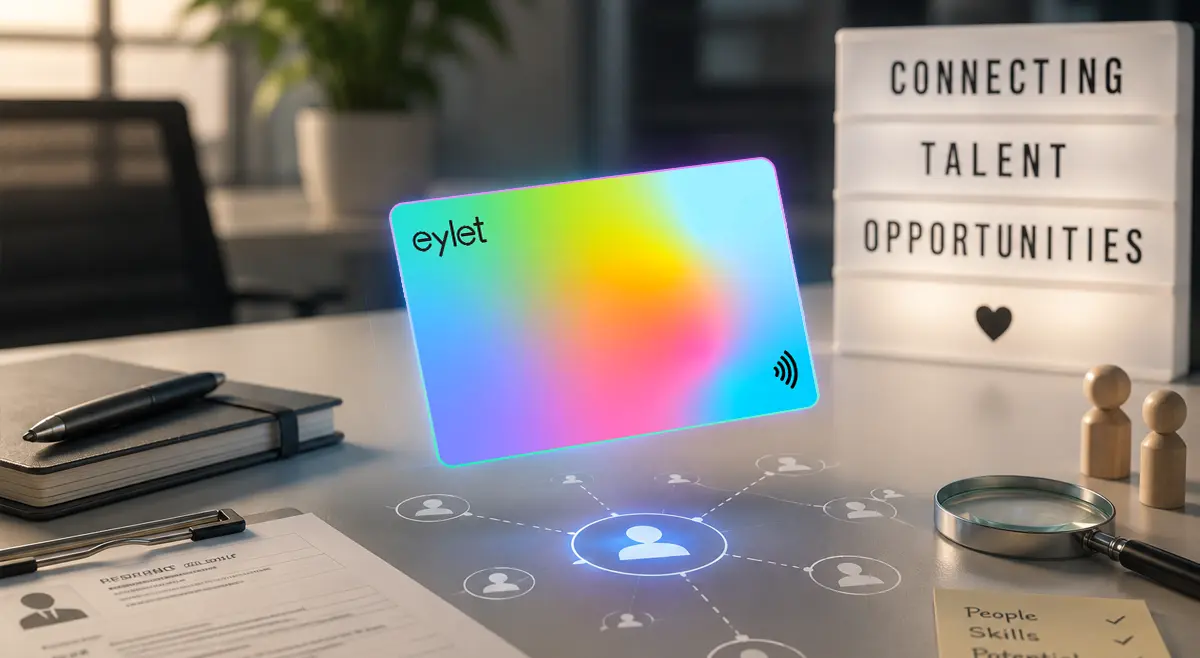
Best Digital Business Cards for Recruiters
Recruiting moves fast, career fairs, campus events, and back-to-back candidate calls, and a card that only works well if you set aside time to fiddle with it is a card that stops getting used by week two. Most guides to this topic lead with ATS integration and leave pricing as an afterthought. Worth doing the opposite: here is what these platforms actually cost, and an honest look at what "ATS integration" really means before you pick one.
For most recruiting teams, the right card captures candidate details at events rather than just sharing yours, exports cleanly into whatever ATS or CRM you run even without a live sync, and does not charge a per-user annual fee that scales against a growing team.
What "ATS Integration" Actually Means
Almost every platform marketed to recruiters leads with ATS integration, syncing directly with systems like Greenhouse, BambooHR, or your CRM. It is worth being precise about what that promise actually delivers, because it varies more than the marketing copy suggests. Some platforms genuinely push candidate data into your ATS automatically. Others use general-purpose connectors like Zapier, which technically counts as an integration but still needs setup and mapping on your end. And at least one platform marketed specifically to recruiters has told users the ATS integration is "actively being worked on" and not yet available, despite ranking for exactly this search.
eylet does not run a native ATS or CRM sync today. Every captured lead exports to Excel or CSV, which imports into any ATS or CRM your team already uses. That is a manual step rather than a live connection, and it is worth knowing that upfront rather than discovering it after you have bought in on a promise that turns out to be thinner than advertised.
What Recruiting Teams Actually Need
• Candidate capture, not just card sharing. A career fair booth needs a card that grabs the other person's details in one tap, not a card that only shares your own.
• A realistic view of what "integration" means. Native sync, Zapier-based, or manual export, know which one you are actually getting before you commit.
• Cost that scales with the team, not against it. A per-user annual fee that looks manageable at 5 recruiters gets expensive fast at 20.
• Fast onboarding for new hires. A new recruiter should have a branded card in minutes, not wait on a print run or a designer.
View Leads and Download.
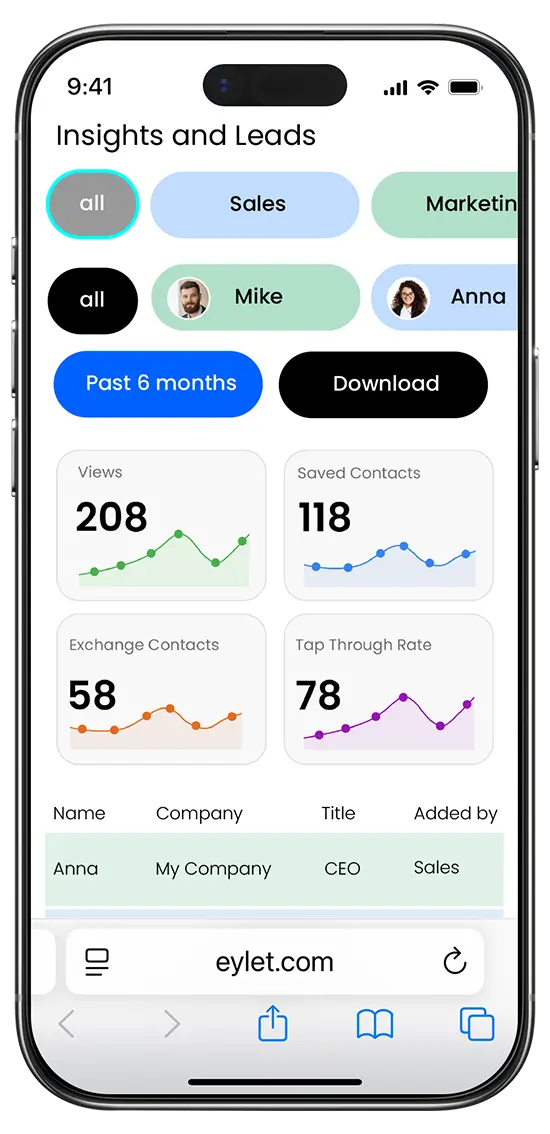
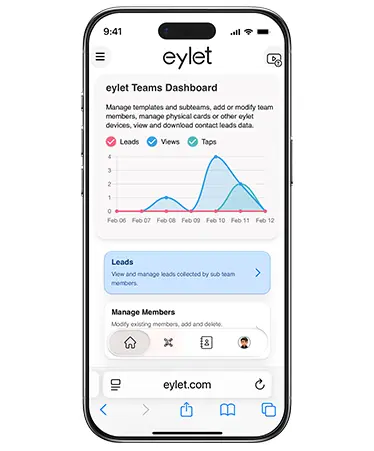
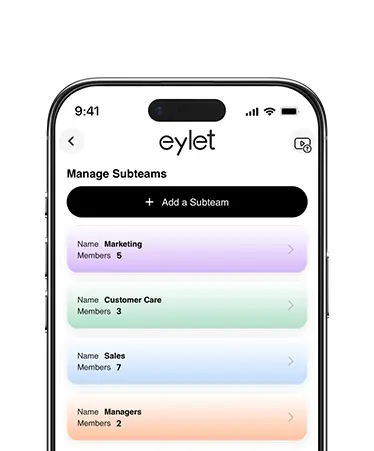
As the manager you can view global leads and download for all your team members. The leads and reports are accessed from the main dashboard by tapping the "Leads" button. From here you can access by All, by Team, or by individual members.
Key Features for Recruiting Teams
This is just a handful of what eylet can do.
See All FeaturesHandling Candidate Information Carefully
Recruiters collect a lot of personal information in a short amount of time, names, current employers, sometimes salary expectations, before any formal relationship exists. eylet's Privacy Wall lets you lock your entire profile behind a 4-digit PIN, separate from your account login. Without the PIN, nobody can view any part of your profile, whether they scanned your card on purpose or picked it up off a table at a career fair.
This matters more for in-house teams managing several recruiters than for a single practitioner, but either way, a misplaced card at a busy event does not automatically expose your profile to anyone who happens to find it.
Pricing: The Part Most Guides Skip
Recruiting-specific platforms tend to price by team, often annually rather than monthly, which can make the true cost harder to compare at a glance. One platform built specifically for recruiting teams prices at $60 per user, per year, with custom volume pricing above 100 users. For a 10-person recruiting team, that is $600 a year before any premium tier.
eylet, one-time card cost, no subscription
• 2-pack White: $19.99 ($10.00 per card)
• 5-pack Black: $44.49 ($8.90 per card)
• Platform, Teams, and analytics: $0 per month, forever
A 10-person recruiting team on eylet pays roughly $90–$130 once for cards, with unlimited members on Teams at no added cost. Over three years, that is a meaningful gap against a platform charging per user annually, and it holds regardless of whether the ATS sync you were promised turns out to be fully built yet.
Capturing Candidates at Career Fairs and Events
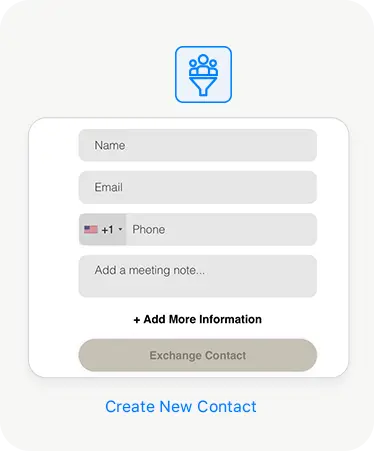
A busy career fair booth can put dozens of candidates in front of a recruiter in a single afternoon. eylet's Lead Generation Mode flips the usual exchange around: instead of sharing your own details first, it collects the candidate's information, so a few hours at a booth turns into a list of captured candidates, not a stack of resumes and a vague memory of who seemed promising.
Export the list to Excel or CSV after the event and load it into your ATS. It will not happen automatically, but it beats re-typing names and roles from memory the following week, by which point most of the context from the actual conversation is already gone.
Setting Up Your Team's Cards
New to eylet? Start with the full setup walkthrough.
Getting Started GuideTurn on Lead Generation Mode before any career fair, campus event, or conference booth.
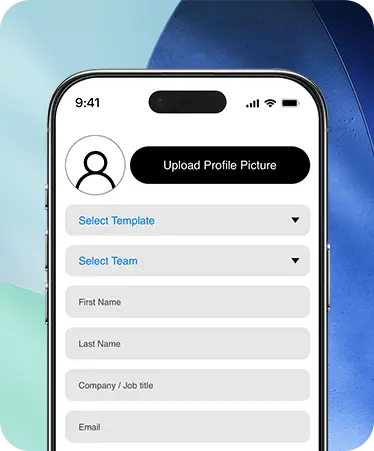
Set up your team under one Teams account so new recruiters get a branded card in minutes, not a print run.
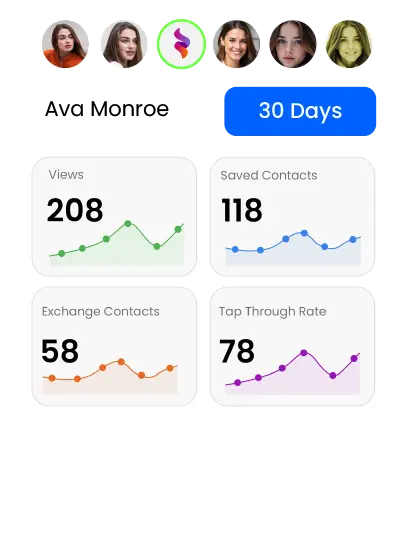
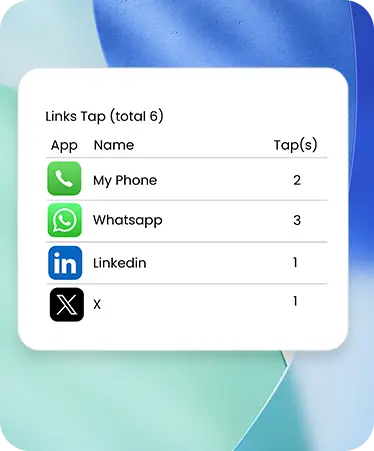
Check engagement analytics after each event while the context is still fresh enough to act on.
Export captured candidates to Excel or CSV and load them into your ATS the same day, before details go stale.
Frequently Asked Questions
Does eylet integrate directly with an ATS like Greenhouse or BambooHR?
Not natively. eylet exports every captured candidate to Excel or CSV, which imports into Greenhouse, BambooHR, or any other ATS your team uses.
How much does eylet cost for a recruiting team?
There is no monthly or annual subscription. You pay once for each physical card, and Teams supports unlimited members at no added cost.
Can I capture candidate details instead of just sharing my own?
Yes. Lead Generation Mode collects the candidate's information before your profile loads, built for career fairs and high-volume events.
Do all recruiter-focused platforms actually have ATS integration?
Not always. At least one platform marketed for this exact use case has stated the integration is still in development. Worth confirming a claimed integration actually works before you rely on it.
How fast can I onboard a new recruiter's card?
New profiles can be created and branded in minutes using the same team template, with no print run to wait on.
Ready to capture more from every career fair?
No subscription. No per-user annual fee. Built for a team that's always in the field.